







When you visit a website, your browser has to download images, code, and other files. To keep from having to download the same files repeatedly each time you open a site, your browser stores these files and bits of code in your computer’s “ internet cache.”
Storing items in your cache can save bandwidth and help your browser run faster. How long items are stored is determined by each website. Some items can remain in your cache for up to a year. However, problems can occur when the stored data becomes outdated. If this is the case, you may see old forms and information, and the website may not load correctly.
Have you ever visited the same website over and over with no problems only to find one day that it isn’t loading correctly? Clearing your browser cache should fix the issue. Clearing your cache can also help prevent you from using old forms, protect your personal information, and help your applications run better.
While it’s easy to clear your cache in general, it can be confusing to remember how to do it in different browsers. This tech note will show you where to find these settings in three different browsers: Google Chrome, Firefox, and MS Edge.
Instructions to clear your cache in Google Chrome:
Step 1.
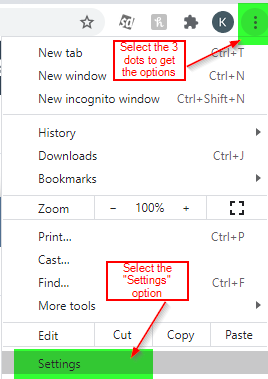
Step 2.
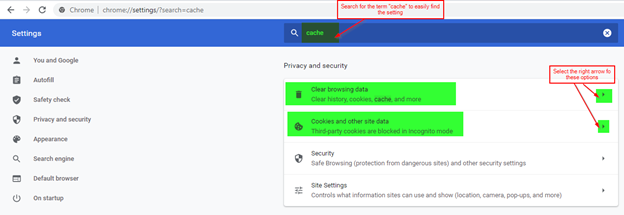
Step 3.
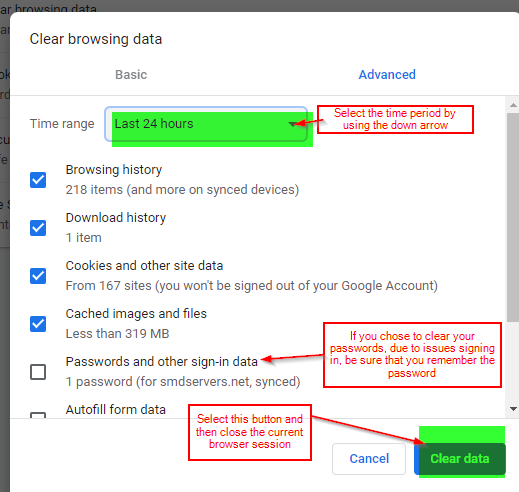
Instructions for clearing your cache in Firefox:
Step 1.
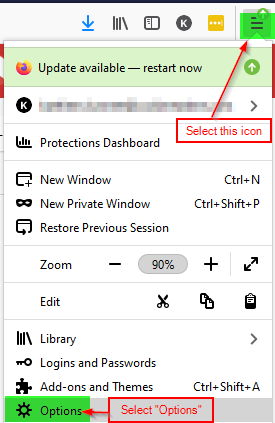
Step 2.
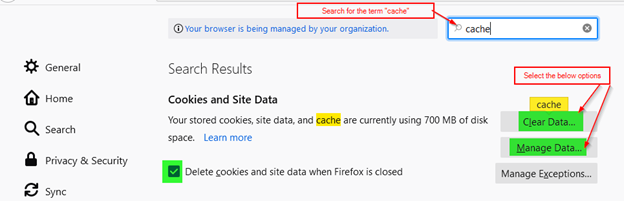
Step 3.
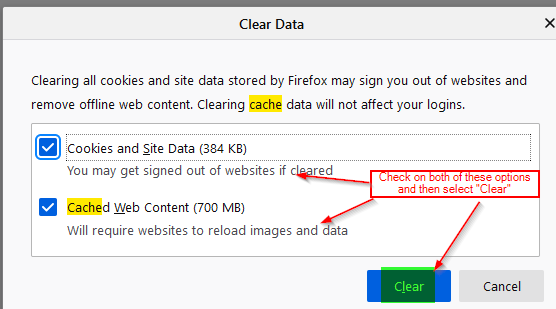
Step 4.
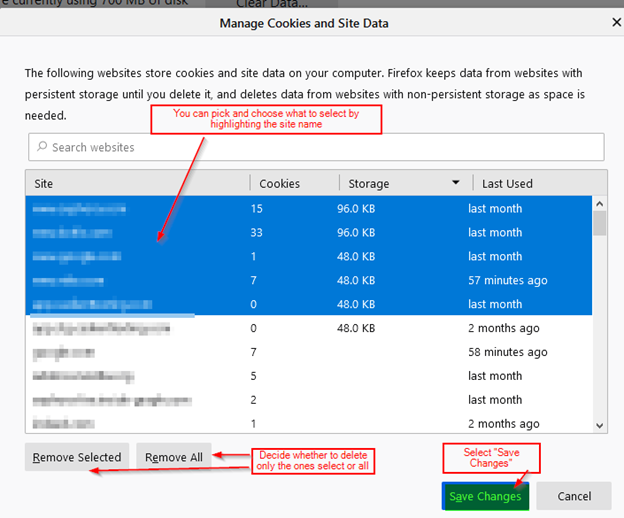
Instructions for clearing your cache in MS Edge:
Step 1.
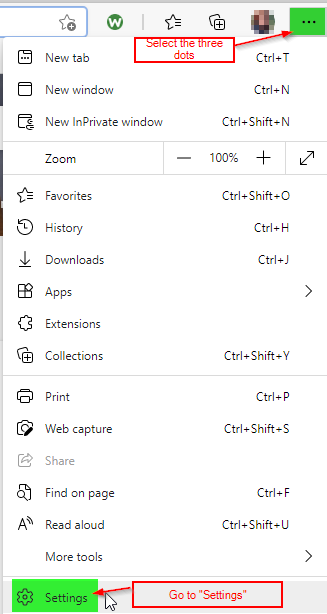
Step 2.
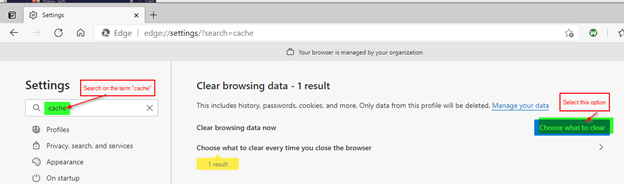
Step 3.
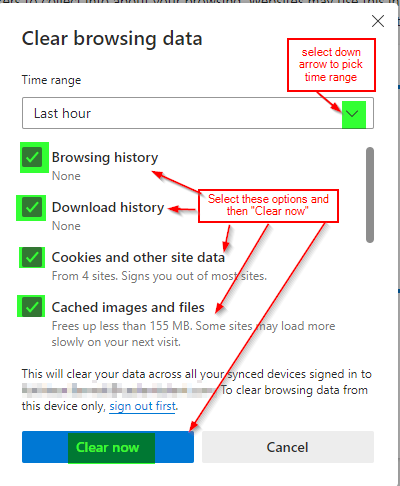
Once the internet cache has been cleared in any of these browsers, close the existing browser session and open a new one to ensure all the data was removed.